Quick Start
The following documentation will help you get started creating your first project. In this tutorial we will help you:
Create A Project
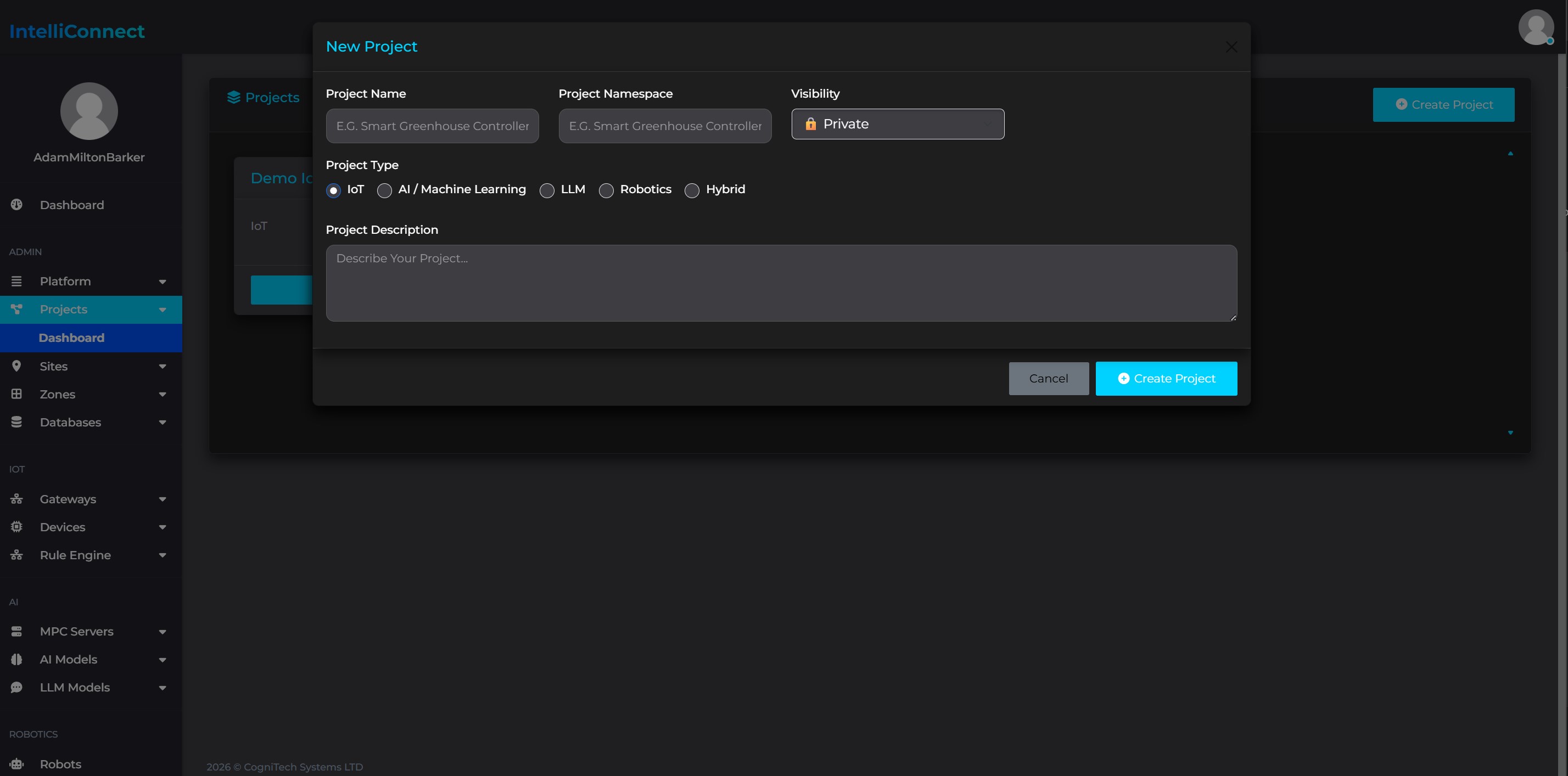
Once you have access to IntelliConnect Beta, you can log in to your account on IntelliConnect CORE. From there head to the Projects area. If you do not already have a project set up you can create one from this section of the platform.
Setup Your Location
Create A Site
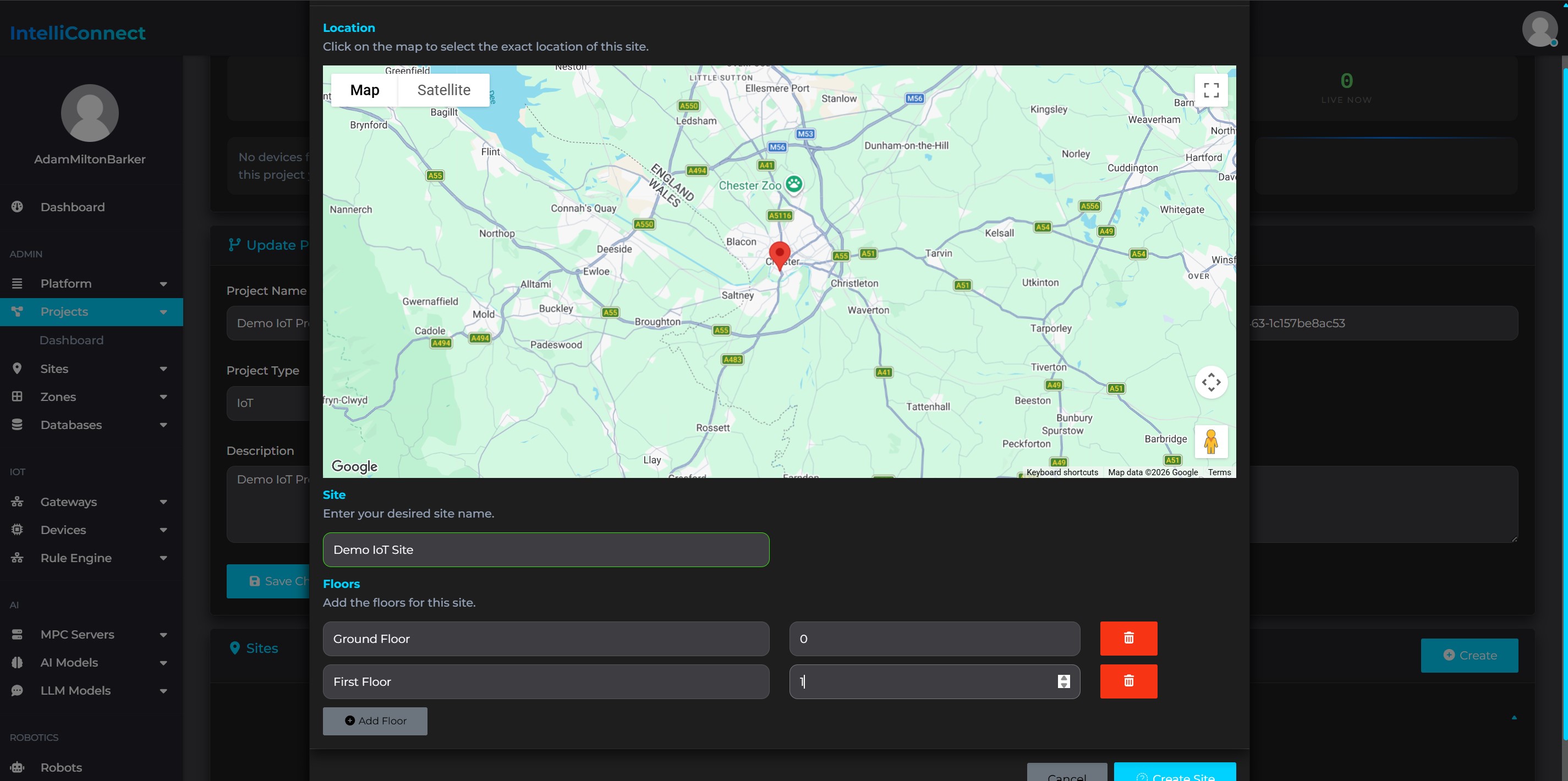
Next you can create a site within your project. Sites are the physical locations that your IntelliConnect network is located in, such as a building.
From the project dashboard click on Create in the sites area, fill out the information and click Create Site.
Create A Zone
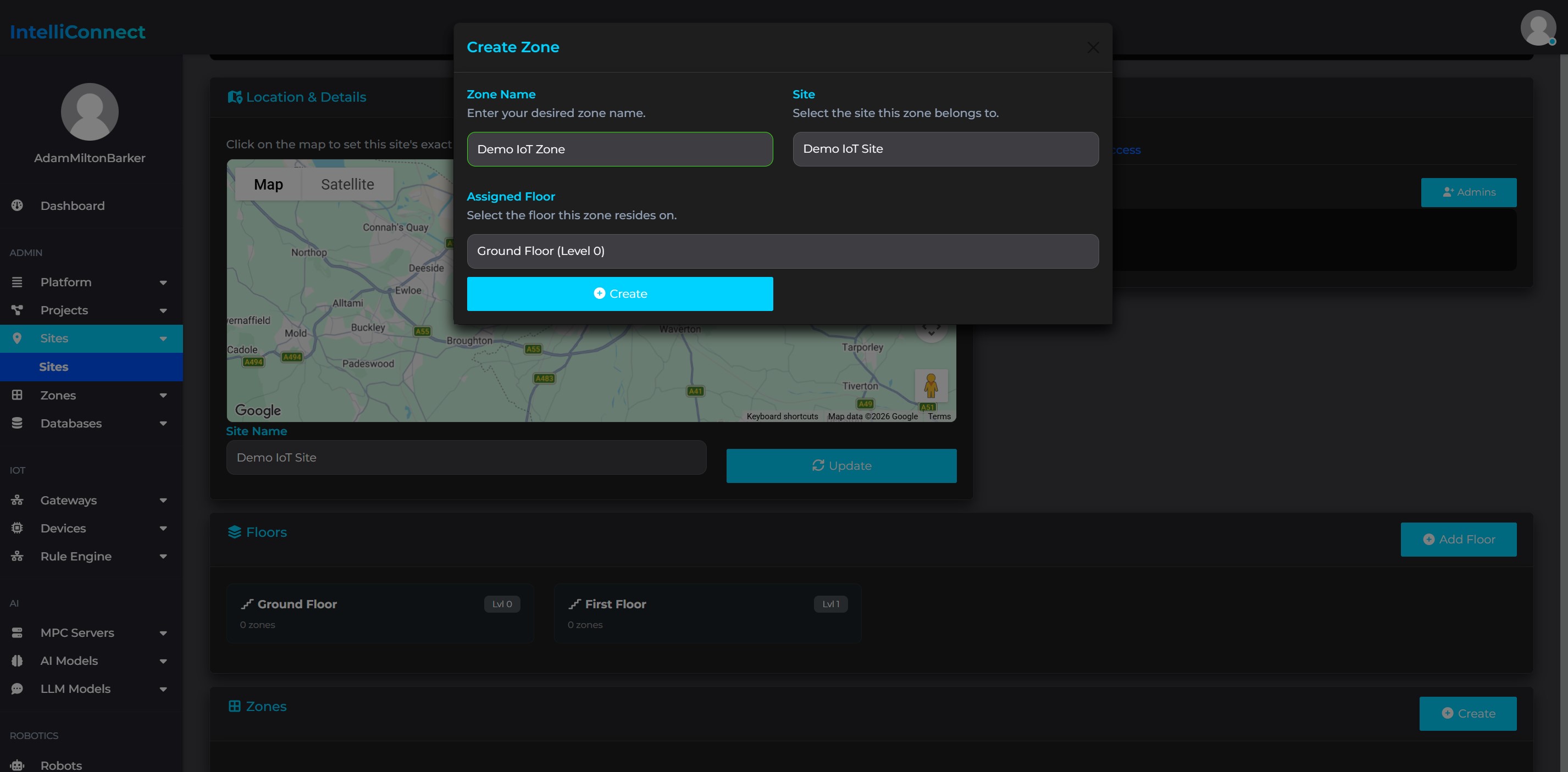
Next you can create a zone within your site. Zones represent rooms or areas within your site, for instance office or lab.
From the site dashboard click on Create in the zones area, fill out the information and click Create.
Next Steps
Now that you have set up your project, you can now begin to use the platform by choosing one of the tutorials below: